Google Business Profile in Eilat: What to Fix Before a Customer Arrives
Your Google Business Profile should help a customer understand what you offer and how to reach you without guessing whether the opening hours are current. For an Eilat business, inspect it both as a resident who knows the city and as someone visiting for the first time. Start with the details that make contacting and finding you possible, then review photos, feedback and performance through the season.
Start with the customer view on a phone
Open the profile as a visitor sees it, not just inside the management screen. Try to locate the entrance and establish whether booking is required. As a test scenario, imagine a family in the hotel district looking for an afternoon activity. The information should help them decide whether it suits them before they start calling.
Follow the path to an enquiry. Open the website link and check that it reaches the right page, then test the phone number and directions. If the address leads to the back of the building or the activity page does not explain where to meet, deal with that before adding more photos.
Do not write everything exclusively for tourists. If you also serve residents, make sure they can understand what you offer throughout the year and how to arrange repeat service. For broader planning context, see Eilat tourism figures for business owners. Here we will focus on the information a customer needs when opening the profile.
List the gaps you find and prioritize them. In our view, a wrong phone number comes before replacing a cover photo. After making a correction, return to the public view to check that the intended information appears rather than remaining in a draft or a change awaiting review.

Check searches related to your service
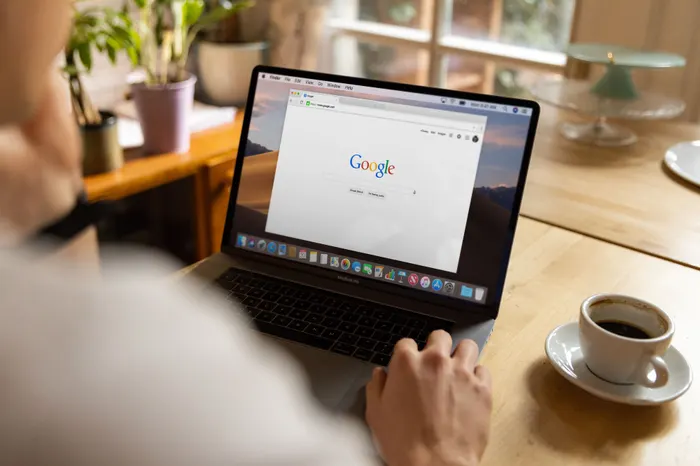
Instead of searching only for the business name, try phrases that describe a need. A restaurant could investigate breakfast in a particular area, while a dive center could examine beginner activities. These are examples for planning a check, not keywords for which we have measured demand or competition.
Record the wording, date and location of the check. Distinguish map results from website results, and do not infer from one position that everyone sees the same result. For ongoing monitoring, repeat the check under similar conditions and consider it alongside profile performance data.
Then check whether the website and profile explain the same service clearly. If the profile mentions an activity, the link should lead to relevant information instead of making the visitor search for it again. That connection is part of the work we offer through SEO for an Eilat business.
You can extend monitoring to AI search, but a complete profile should not be treated as a promise of a chatbot recommendation. Our guide to what GEO means discusses that separately. Record the actual question and response rather than presenting a single mention as lasting success.
Choose a category that describes the actual business
Start with the main activity customers come for and look for a category that describes it. Do not choose one merely because a business appearing above yours uses it. If it does not fit your work, it is also a poor way to explain what a customer will receive.
The table offers questions to guide the choice, not a mandatory list of category names. Check the options available in your management screen and choose only those that reflect real activities. Consult the Google guidance linked at the end before making changes.
Next, review the business name, address and map pin. Use the name customers know rather than turning it into an advertisement. Add attributes such as accessibility or parking only after checking them, and do not assume that something true of the wider complex is also true of your entrance.
| Business type | Question for choosing a category | What to check before adding one |
|---|---|---|
| Restaurant | Which type of restaurant represents the main activity? | Whether another activity, such as a cafe, genuinely operates |
| Water sports | Is the main service equipment rental or a guided activity? | Which activities the business provides directly |
| Dive center | Is the focus instruction, a shop or diving trips? | Whether the category matches what customers book |
| Attraction or park | Which activity best describes the place? | Whether a broad description hides what is actually offered |
| Plant nursery | Is the main activity plant sales or gardening services? | Whether a supporting service is actually available |
| Carpentry business | What is the main work a customer commissions? | Whether the specialty is described accurately |
| Accommodation | Is this an accommodation property or a property management business? | What fits the business structure before creating or changing a profile |
Hours that reflect the actual operation
Assign someone to update hours and connect the check to the real operating schedule. If you open longer in summer or reduce days in winter, include the change in your preparations. Do not wait for a customer to report arriving when you are not receiving visitors.
Before a holiday, check each date with a planned change and choose the appropriate option for displaying hours. Verify the public view after saving. Include this in your seasonal marketing and budget calendar for Eilat so it does not depend on the profile manager remembering.
Distinguish general opening hours from those of a particular service. As a planning example, consider a restaurant whose kitchen closes before the venue. Explain that difference on the menu or booking page as well as reviewing the general hours.
If weather cancels an activity, people who have already booked also need attention. Updating the profile is only part of the response, not a replacement for contacting affected customers directly. Before an extended closure, check Google guidance and select the appropriate operating status instead of leaving inaccurate information.
Descriptions and photos that help someone decide and arrive
Use the description to explain what you offer and whom it suits without claims such as best in the city. If the address is not enough to identify the location, add a familiar landmark. Write for someone who does not know the neighborhood and put longer explanations on a suitable website page.
Repeated questions in customer conversations are a useful starting point for finding missing information. If people keep asking where to park or whether booking is required, put a clear answer somewhere accessible. Choose details that matter to the customer and check that they remain accurate when the season changes.
Alongside the logo and cover photo, add a picture showing the entrance from the street. If you open in the evening, photograph it in the lighting guests will encounter. Then show the interior and what you offer, replacing pictures that no longer represent the place.
For a restaurant, check that the linked menu is readable on a phone. For an activity or attraction, show the equipment or venue and explain participation restrictions alongside the photos. An attractive image is not a reason to leave visitors without information about what they are booking.
Ask for a review without pressuring the customer
We recommend asking for feedback after the customer has finished the experience and has time to consider it. The request should welcome genuine feedback, not just praise. You can say you would appreciate hearing how it went and leave the customer to decide whether to write and what to mention.
Do not make the request a condition of service or approach only people who expressed satisfaction. We also recommend avoiding rewards for reviews. Adopt those practices alongside reading Google content policy before establishing a regular process.
Use a language the customer is comfortable with and reply in the language they used when someone can do that well. If translation help is needed, check that the response still addresses the review. A simple, accurate answer is better than an elaborate message unrelated to the experience.
Test the review link on the device used to receive it. If you display a QR code on a receipt or near the exit, make sure it is readable and reaches the right destination. Fit the request to the service rather than assuming every customer wants a follow-up message.
- Choose a moment after the service when the request will not hold the customer up
- Use a simple invitation such as We would appreciate hearing about your experience with us
- Check that the link or QR code reaches the correct profile
- Do not send repeated reminders to someone who has not chosen to respond
- Set aside time for useful replies to critical feedback without publishing personal information
- Avoid writing reviews for customers or requesting a particular rating
Add useful information without chasing publishing volume
Collect the questions that recur before a booking and decide where to answer them. Start with the fields available in the profile and use the website for details that do not fit. There is no need to repeat identical text everywhere when a clear, current page can provide the explanation.
Before relying on a feature, check that it is actually available in your profile management screen. Do not build the customer journey around an old interface screenshot. If the profile cannot contain all the details, make its website link lead directly to the relevant explanation.
An update should contain something visitors need to know, such as a change in activities or registration opening. You do not need to write a post simply to meet a publishing frequency. Reviewing and correcting an old message that could mislead someone is a better use of that time.
If you offer several services, check that each has a clear description and a path to the appropriate action. When planning a business website, plan that connection to the profile too instead of automatically sending every visitor to the homepage.
What to check in the performance report
Once a month, review profile data and record changes alongside what happened in the business. Changes to hours or activities belong in that record so you do not try to explain every rise and fall solely through marketing.
Before comparing metrics, check what each one counts. Tapping a call button does not prove a conversation took place, and requesting directions does not prove a visit. Compare report actions with recorded enquiries and bookings rather than attributing an undocumented result to the profile.
In the search terms, distinguish the business name from a need or service, but do not automatically assume a branded search came from a recommendation. If service searches are scarce, review the category and description alongside the available data. Treat that as a direction for investigation rather than a proven diagnosis.
For a seasonal business, compare equivalent periods as well and note changed conditions. When a decline is unexpected, check whether public information remains correct and whether management notices need attention. Choose a specific action for the next review and record the date so you can examine what happened afterward.
This is exactly what we do at Local SEO and website SEO for a business in Eilat. If you want us to go over it together for your business, write to us.
Frequently asked questions
First check management notices about verification or restrictions and confirm the business details. Then check whether the profile appears for its exact name, recording service searches separately. Do not create another profile before investigating the status of the existing one.
We do not recommend a target that promises a search position. Establish a consistent way to invite genuine feedback and review the issues it raises. Look for service improvements rather than measuring success only by review count.
If the review is in English, a clear English reply addressing its content is a sensible choice. Check any translation before publishing and avoid a standard response that does not answer what the customer wrote.
Check the case before replying and respond usefully without disclosing personal information. Offer a private channel if more investigation is needed. If you suspect a policy violation, check Google reporting procedures without promising that the review will be removed.
Decide according to the information and actions customers need. If you need room to explain a service or accept a booking, consider a suitable website page. Having a profile does not require a large site, but important questions should not go unanswered.
Open the hours settings and check the special-hours option against current Google guidance. Confirm the date and make sure you have not accidentally changed the regular schedule, then inspect the public view.
Want us to look at this for your business?
Just write to us on WhatsApp. The first conversation comes with no commitment. 050-294-0127
Write to us on WhatsApp